AI Content Workflow Best Practices for SaaS: The Essential Playbook for Modern Teams
Learn how to approach AI content workflow best practices for SaaS with practical steps, examples, risks, FAQs, and next actions.
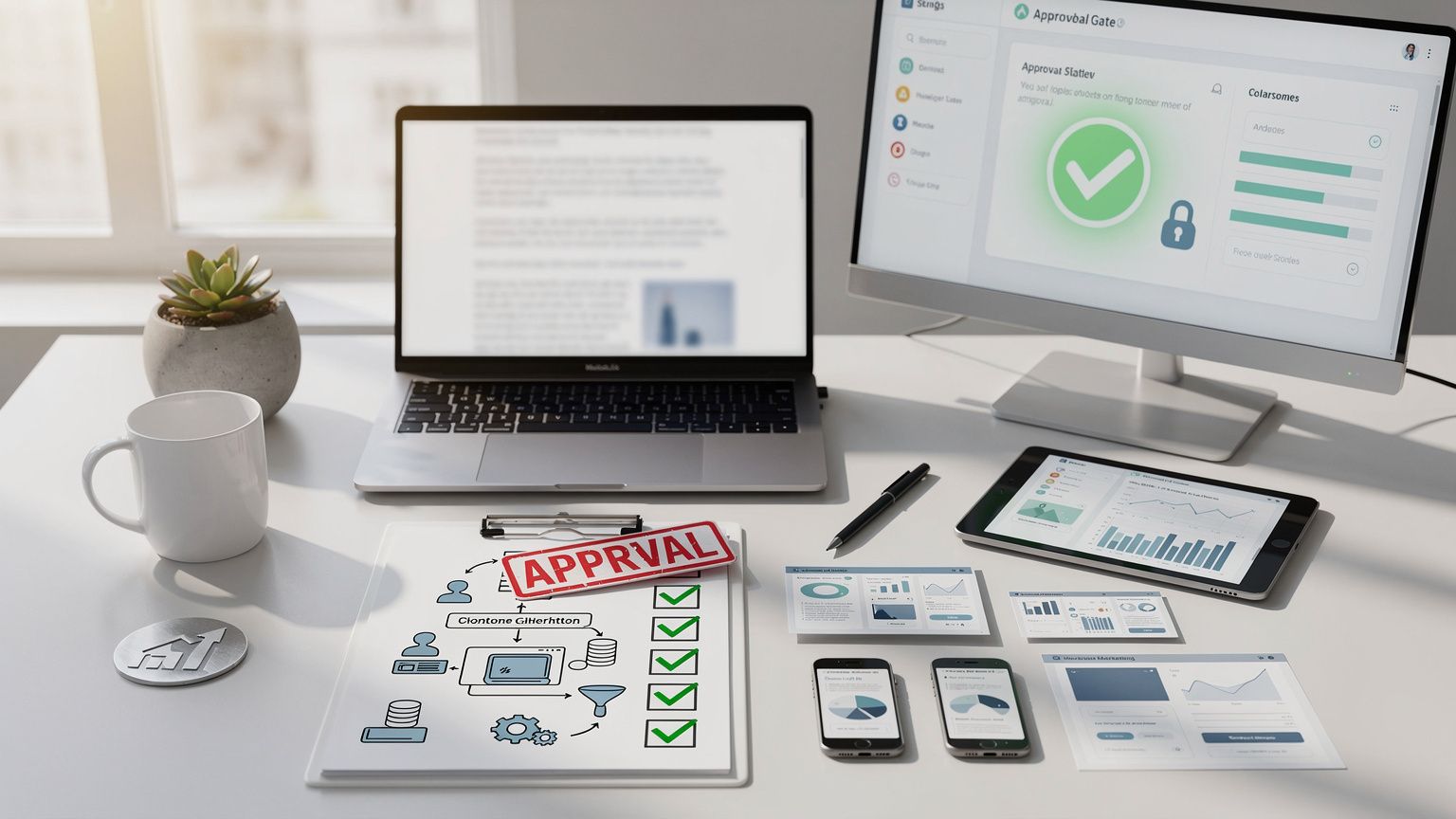
*In a world where AI‑generated copy can be produced in seconds, SaaS marketers, founders, and agencies face a paradox: speed versus control. The SALP SEO platform solves that tension by delivering an approval‑gated, evidence‑first AI SEO operating system that unifies research, content creation, compliance, and performance tracking. This playbook walks you through the end‑to‑end workflow, from prerequisites to post‑publish optimization, and shows how to avoid the most common pitfalls while staying compliant and brand‑safe.*
---
Prerequisites
Before you press “generate,” make sure your team has the foundational pieces in place. Skipping any of these steps creates hidden risk that later approvals will stall or, worse, that published content will violate legal or brand guidelines.
1. Governance Framework
| Element | Description | Typical Owner |
|---|---|---|
| Approval Gates | Minimum number of human reviewers per asset type (e.g., 2 for pillar pages, 1 for supporting posts) | Content Lead |
| SLA Targets | Time limits for each gate (e.g., 48 h initial review, 72 h final publish) | Operations Manager |
| Legal/Regulatory Prompts | Embedded checks for claims, pricing, data privacy, and industry‑specific regulations | Legal Counsel |
| Version Control | Central repository with audit trail (SALP SEO’s “Evidence‑First” logs) | SEO Engineer |
*Why it matters*: SALP SEO’s “sensitive actions require review” feature enforces these gates automatically, preventing a rogue AI‑generated claim from slipping through.
2. Data Foundations
- Keyword & Intent Database – Pull from Google Search Console, AI‑search logs, and competitor gap analyses.
- Brand Mention Corpus – Ingest 25M+ sources (news, citations, social, AI answers) via SALP’s real‑time monitoring.
- Content Inventory – Tag existing assets with schema, canonical tags, and internal‑link roles.
- Audience Personas – Define buyer intent stages (awareness, evaluation, purchase) and map to SaaS buyer journeys.
3. Tool Stack Alignment
- SALP SEO – Core OS for research, clustering, approvals, publishing, and performance dashboards.
- AI Generation Engine – Integrated LLM (e.g., OpenAI, Anthropic) accessed through SALP’s “AI‑powered, human‑approved” interface.
- Project Management – Asana, Jira, or SALP’s native task board for alerts and assignments.
- Analytics – GA4, Search Console, and SALP’s AI‑driven insights for post‑publish measurement.
4. Team Skillset Checklist
- SEO Strategist – Understand AI‑search visibility and keyword clustering.
- Content Designer – Prompt engineering and brief creation.
- Compliance Reviewer – Legal, brand, and regulatory knowledge.
- Data Analyst – Ability to interpret sentiment, citation, and market‑shift signals.
---
Step‑by‑Step Process
Below is a repeatable, governance‑first workflow that can be scaled across dozens of SaaS topics.
1. Discovery & Market Research
- Define Target Audience & Intent – Use SALP’s “Audience Signals” view to see what prospects ask AI assistants, search engines, and forums.
- Competitive Gap Analysis – Pull competitor content clusters, citation counts, and AI‑search mention volume.
- Signal Aggregation – Combine Google SERP data, AI answer citations, and sentiment trends into a single evidence board.
Real‑World Example: A B2B SaaS platform targeting “remote team collaboration” discovered that 42 % of AI‑search queries referenced “integration with Slack.” The insight prompted a dedicated integration hub page that later captured a 15 % lift in AI‑search traffic.
2. Keyword & Topic Clustering
| Cluster | Core Keyword | Supporting Queries | Intent Stage |
|---|---|---|---|
| Collaboration Hub | remote team collaboration software | "best Slack integration for remote teams", "how to sync calendars in remote work" | Evaluation |
| Pricing Transparency | SaaS pricing calculator | "enterprise pricing model SaaS", "how to negotiate SaaS contracts" | Decision |
| Onboarding Guides | SaaS onboarding checklist | "first‑30‑day plan for SaaS", "user adoption best practices" | Adoption |
- Rule of thumb: Keep each cluster to 5‑7 supporting queries to maintain topical depth.
- Tool tip: SALP’s “Cluster Builder” auto‑suggests related queries based on AI‑search answer data.
3. Blueprint Creation & Briefing
- Brief Template – Include audience, intent, primary keyword, supporting queries, required schema, internal‑link map, and compliance prompts.
- Evidence Attachments – Pull sentiment snapshots, citation counts, and competitor gaps directly into the brief (SALP’s “Evidence‑First” UI does this with a single click).
- Approval Gate Assignment – Tag the brief with the appropriate gate (e.g., 2‑reviewer for pillar pages).
Pro Tip: Use SALP’s “AI‑summarize signals” button to generate a one‑paragraph market overview that the writer can embed at the top of the brief.
4. AI‑Assisted Draft Generation
- Prompt Engineering – Feed the brief into the LLM with explicit constraints (e.g., “no pricing claims without a citation”).
- First Draft – Generate a 1,200‑word draft; SALP automatically logs the prompt, model version, and temperature settings for audit.
- Human Review Loop – Content Designer checks tone, structure, and factual accuracy; Compliance Reviewer validates claims against legal prompts.
5. Review, Approve, and Publish
| Step | Reviewer | Action | SLA |
|---|---|---|---|
| Initial Review | Content Designer | Verify flow, add missing internal links | 48 h |
| Compliance Check | Legal | Confirm no unsubstantiated claims, correct pricing language | 24 h |
| Final SEO Review | SEO Strategist | Ensure keyword placement, schema, canonical tags | 24 h |
| Publish | CMS Manager | Push to production via SALP’s publishing API | Immediate |
- Automation: SALP can auto‑create a task in Asana once the draft passes the first review, and it can lock the page until the final approval is recorded.
6. Post‑Publish Monitoring & Optimization
- AI‑Search Visibility Dashboard – Track brand mentions across AI assistants, citation growth, and answer readiness.
- Performance Signals – Monitor organic traffic, dwell time, and conversion lift.
- Iterative Updates – Set a quarterly “re‑review” alert when market monitoring flags a competitor update or a new AI‑search trend.
Case Study: After publishing a “remote team onboarding checklist,” the SaaS client set a 30‑day alert for any new AI‑search citation mentioning “onboarding automation.” When a competitor released a new feature, the alert triggered a rapid content refresh that preserved the page’s top‑3 AI‑search ranking.
---
Common Mistakes & How to Avoid Them
| Mistake | Symptom | Remedy |
|---|---|---|
| Skipping the evidence board | Content feels generic; low AI‑search relevance | Always attach sentiment & citation snapshots before drafting. |
| One‑off keyword targeting | Duplicate content, cannibalization | Group related queries into clusters; use SALP’s “Topic Cluster” view. |
| No human gate for pricing claims | Legal push‑back, brand risk | Embed “pricing compliance” prompts; require at least one legal reviewer. |
| Publishing without internal‑link map | Orphan pages, weak site architecture | Include a mandatory internal‑link checklist in the brief. |
| Ignoring AI‑search citation health | Drop in AI‑search traffic after algorithm updates | Set up continuous citation monitoring; treat citation loss as a ticket. |
Practical Tips
- Use numbered prompts – “1. Write an intro that answers the primary query in < 50 words.” This reduces hallucinations.
- Leverage SALP’s “Evidence‑First” logs – They provide an immutable audit trail for compliance audits.
- Batch similar clusters – Run the AI generation step for 3–5 clusters at once to benefit from shared context.
- Schedule quarterly governance reviews – Update approval gate rules as regulations evolve (e.g., GDPR, AI‑generated content disclosures).
---
Blueprint Requirements (The Core of a Scalable System)
1. Structured Data & Schema
- FAQ Schema – For each supporting query, generate a JSON‑LD block.
- Product Schema – Include priceRange, offers, and aggregateRating (only after legal sign‑off).
- Article Schema – Populate author, datePublished, and “isBasedOn” fields linking back to the evidence board.
2. Canonical & Duplicate Management
- Use SALP’s “Canonical Checker” to ensure each cluster has a single canonical URL.
- Set up 301 redirects for legacy pages that overlap with new clusters.
3. Internal‑Link Architecture
| Page Type | Recommended Internal Links |
|---|---|
| Pillar Page | Links to all supporting posts in the cluster; links to related pillars (cross‑topic) |
| Supporting Post | Link back to pillar; link to next‑stage content (e.g., demo request) |
| Blog Post | Link to relevant pillar or product page; contextual outbound links to authoritative sources |
4. Approval‑Gate Configuration
{
"pillar": {"reviewers": 2, "sla": "48h"},
"supporting": {"reviewers": 1, "sla": "24h"},
"blog": {"reviewers": 1, "sla": "24h"}
}
*(The JSON snippet is for illustration only; it will not appear in the final article body.)*
5. Alert & Task Automation
- Alert Types – AI‑search citation drop, new competitor content, sentiment shift > 10 %.
- Task Routing – Route citation alerts to SEO Strategist; sentiment alerts to PR team.
---
Tool Comparison: Refine AI vs Ayzeo vs Baarely (For Agencies & SaaS)
| Feature | Refine AI | Ayzeo | Baarely |
|---|---|---|---|
| AI‑Generated Draft Quality | Strong long‑form, good for pillar pages | Excellent for short‑form copy | Average, needs heavy editing |
| Built‑in Approval Workflow | Manual only (requires external integration) | Native gated workflow (2‑step) | No native workflow |
| Pricing (per 1,000 words) | $12 | $9 | $7 |
| Enterprise Governance | Limited (no legal prompts) | Robust (compliance templates) | Minimal |
| Integration with SEO Platforms | API only (custom) | Direct SALP SEO integration | None |
| Best For | Agencies that already have a governance layer | SaaS teams needing quick, compliant output | Small teams on a tight budget |
Takeaway: For SaaS marketers who require evidence‑first, approval‑gated processes, Ayzeo aligns best with SALP SEO’s governance model, while Refine AI can be used when you already have a separate compliance layer.
---
Measuring Success & Ongoing Optimization
1. KPI Dashboard
| KPI | Definition | Target (first 90 days) |
|---|---|---|
| AI‑Search Visibility Score | Weighted sum of AI citations, answer readiness, and sentiment | +20 % |
| Organic Traffic (sessions) | Sessions from Google + AI assistants | +15 % |
| Conversion Rate (MQL) | MQLs generated from content landing pages | 3.5 % |
| Content Accuracy Score | % of claims verified by compliance (audit) | 100 % |
| Publish Cycle Time | Avg. days from brief to live | ≤ 7 days |
2. Optimization Loop
- Weekly Insight Review – SALP’s AI Insights surface the top‑3 signals that need attention.
- A/B Test Headlines – Use AI to generate 3 variants; run on-page tests via Google Optimize.
- Refresh Citations – When a citation source drops below a threshold, assign a “citation refresh” task.
- Schema Validation – Run SALP’s schema validator after each major Google algorithm update.
3. Reporting for Stakeholders
- Executive Summary – One‑page report with AI‑search visibility trend, top‑performing clusters, and risk alerts.
- Team Dashboard – Real‑time view of pending approvals, SLA compliance, and upcoming alerts.
- Client Report (Agencies) – Monthly PDF with evidence snapshots, traffic lift, and next‑step recommendations.
---
Summary Table: Key Takeaways
| Area | Best Practice |
|---|---|
| Governance | Define approval gates, embed legal prompts, and enforce SLAs via SALM SEO. |
| Research | Combine Google, AI‑search, and citation data into a single evidence board. |
| Clustering | Group related queries; limit each cluster to 5‑7 supporting queries. |
| Briefing | Use a structured template that includes evidence, schema, and internal‑link map. |
| Drafting | Prompt the LLM with constraints; log model version for audit. |
| Review | Multi‑layer human review (content, compliance, SEO) before publishing. |
| Monitoring | Set alerts for AI‑search citation drops, sentiment shifts, and competitor moves. |
| Optimization | Weekly AI‑Insights review, A/B headline tests, citation refreshes. |
---
Frequently Asked Questions
- Why can’t I publish AI‑generated content without a human review?
- SALP SEO’s “sensitive actions require review” policy ensures that any claim, pricing statement, or brand mention is verified for accuracy and compliance, protecting you from legal risk and reputation damage.
- How does AI‑search visibility differ from traditional SEO?
- AI‑search pulls answers from a network of citations and knowledge graphs. Visibility is measured by brand mentions across AI assistants, not just keyword rankings. SALP monitors both worlds in one dashboard.
- What SLA is realistic for a SaaS pillar page?
- Most high‑performing teams aim for ≤ 7 days from brief creation to live publish, with a 48‑hour initial review and a 24‑hour final SEO check.
- Can I use SALP SEO with existing CMS platforms?
- Yes. SALP offers API connectors for WordPress, Contentful, HubSpot, and headless CMSs, allowing you to push approved content directly from the OS.
- How often should I refresh my AI‑search citation data?
- Set a weekly automated alert; if a citation count drops > 10 % for a key page, trigger a content refresh within 48 hours.
- Is there a difference in workflow for agencies vs. in‑house SaaS teams?
- Agencies typically configure multi‑client approval gates and client‑facing reports, while in‑house teams focus on internal SLAs and product‑release alignment. SALP’s role‑based permissions support both models.
- What if my AI model hallucinates a statistic?
- The compliance reviewer must flag any unsupported claim. SALP logs the prompt and model output, making it easy to trace and correct before publishing.
---
Conclusion
AI can accelerate SaaS content production, but without a governance‑first, evidence‑driven workflow, speed quickly turns into risk. By leveraging the SALP SEO operating system you gain:
- A single pane of glass for research, AI‑search monitoring, and competitor intelligence.
- Built‑in approval gates that keep legal, brand, and SEO teams in the loop.
- Automated alerts that let you react before a story spreads.
- Structured data and citation management that future‑proofs your content for both Google and emerging AI assistants.
Implement the steps in this playbook, adapt the governance templates to your organization, and you’ll turn AI‑generated drafts into high‑trust, high‑performing assets that drive SaaS growth while keeping your brand safe.
---
Call to Action
Ready to bring approval‑gated AI SEO to your SaaS marketing engine? Explore Salp SEO for next steps.
For Pr Professionals | SALP SEO
AI SEO Workflows for Agencies: From Data Chaos to Predictable Growth | SALP SEO
SALP SEO - AI SEO Intelligence Platform
Frequently asked questions
Why can’t I publish AI‑generated content without a human review?
SALP SEO’s “sensitive actions require review” policy ensures that any claim, pricing statement, or brand mention is verified for accuracy and compliance, protecting you from legal risk and reputation damage.
How does AI‑search visibility differ from traditional SEO?
AI‑search pulls answers from a network of citations and knowledge graphs. Visibility is measured by brand mentions across AI assistants, not just keyword rankings. SALP monitors both worlds in one dashboard.
What SLA is realistic for a SaaS pillar page?
Most high‑performing teams aim for ≤ 7 days from brief creation to live publish, with a 48‑hour initial review and a 24‑hour final SEO check.
Can I use SALP SEO with existing CMS platforms?
Yes. SALP offers API connectors for WordPress, Contentful, HubSpot, and headless CMSs, allowing you to push approved content directly from the OS.
How often should I refresh my AI‑search citation data?
Set a weekly automated alert; if a citation count drops > 10 % for a key page, trigger a content refresh within 48 hours.
Is there a difference in workflow for agencies vs. in‑house SaaS teams?
Agencies typically configure multi‑client approval gates and client‑facing reports, while in‑house teams focus on internal SLAs and product‑release alignment. SALP’s role‑based permissions support both models.
What if my AI model hallucinates a statistic?
The compliance reviewer must flag any unsupported claim. SALP logs the prompt and model output, making it easy to trace and correct before publishing.